Each product solves a specific local visibility challenge — independently or combined.
24/7 automated GBP protection
Guardian Mode operates exclusively through Google's authorized OAuth 2.0 API — every action requires prior explicit authorization from the profile owner.
Local keyword tracking & territory intelligence
Your local visibility engine
Avision never accesses your Google Business Profile without explicit authorization from the profile owner. Here is exactly what happens — step by step.
Sign up in under 2 minutes. No Google credentials required at this stage.
You are redirected to Google's official authorization screen. You choose exactly which Business Profile to share — Avision receives a secure access token, nothing else. Your Google password is never seen or stored.
Within 60 seconds, AVI Intelligence reads your profile data: name, address, phone, categories, hours, reviews, and photos. No data is modified at this stage.
Your visibility score /100 is calculated, your top 3 local competitors are identified, and your profile data is displayed — nothing is modified until you choose to activate a product.
Agency accounts see their Fleet Command Center immediately — ready to import client locations and monitor each profile score.
Transparency is core to how Avision operates. Here is the exact scope of our Google API usage.
(with explicit OAuth authorization)
All API usage complies with Google API Services User Data Policy and the OAuth 2.0 protocol . No data is shared with third parties. All tokens are stored encrypted and can be revoked at any time from your Google account settings.
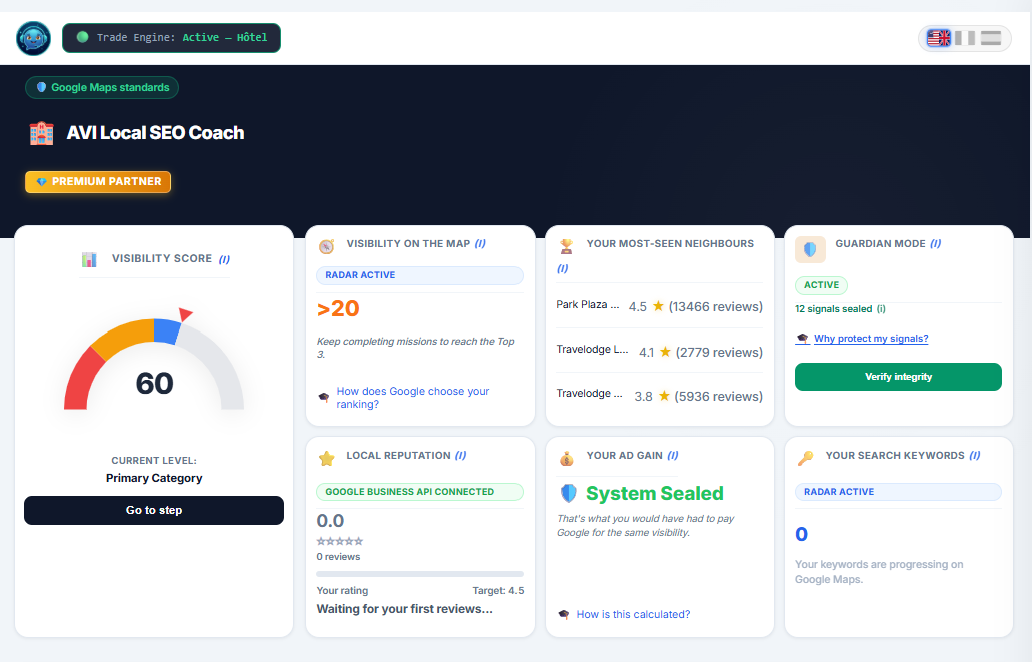
Every AVI member gets a fully operational dashboard from day one. Here is what it looks like.
Your personalized local visibility command center. Track your score, monitor Guardian activity, follow your keyword positions, and get your next priority action — all in one place.
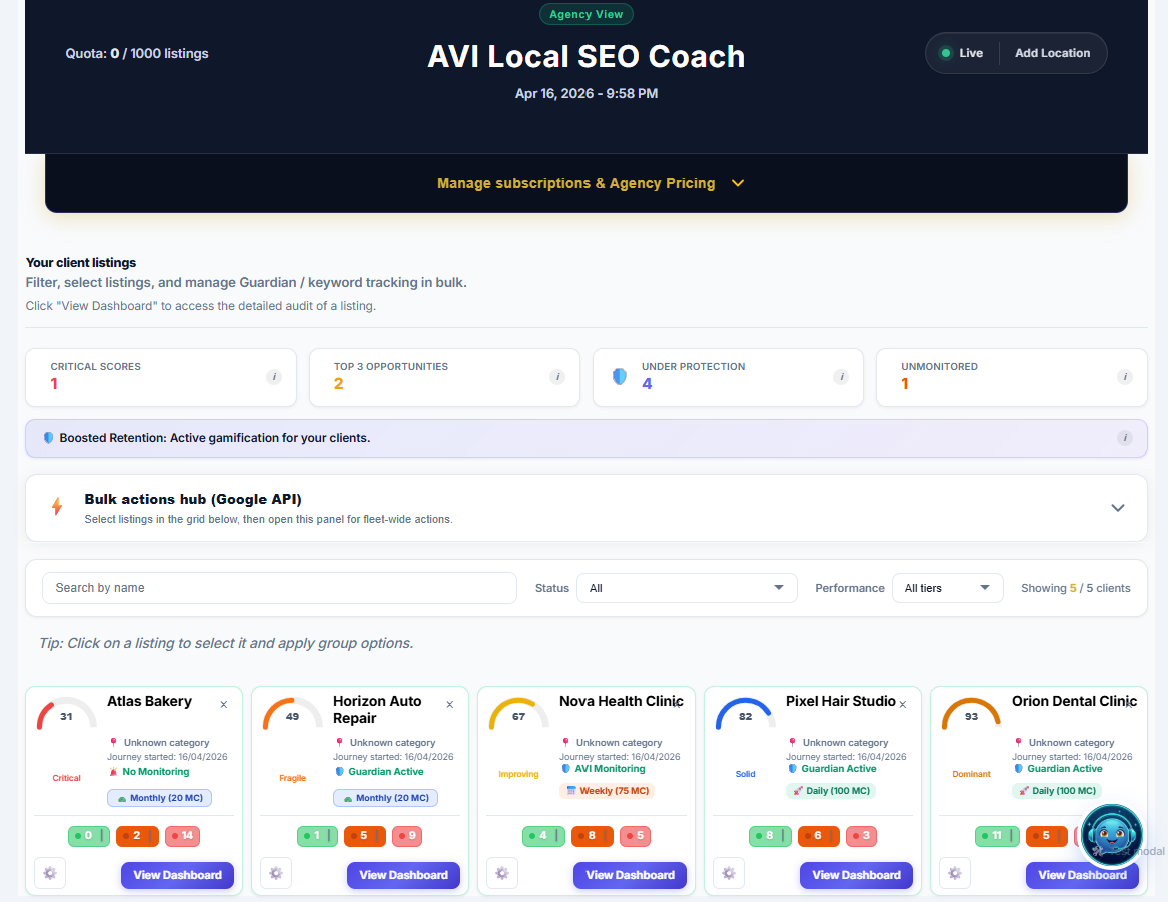
Your agency dashboard gives you a real-time view of every client location in your portfolio — scores, Guardian status, and active alerts, consolidated in one operational view.
Managing 10 or 500 client locations follows the same simple process.
Sign up and select Agency plan. Your Fleet Command Center is created instantly.
Authorize Avision via Google OAuth 2.0. Your agency Google account becomes the management layer for your entire client portfolio.
Use the Google Business Profile import modal directly from your dashboard. Select the locations you manage — they appear in your fleet grid immediately. No CSV, no manual entry.
Activate Guardian Mode or Growth Radar per client location — individually or in batches. Wholesale rates apply automatically based on your total active locations.
Each client location has a shareable read-only dashboard link. Your clients follow their score and Guardian activity in real time — without accessing any settings or configurations.
